
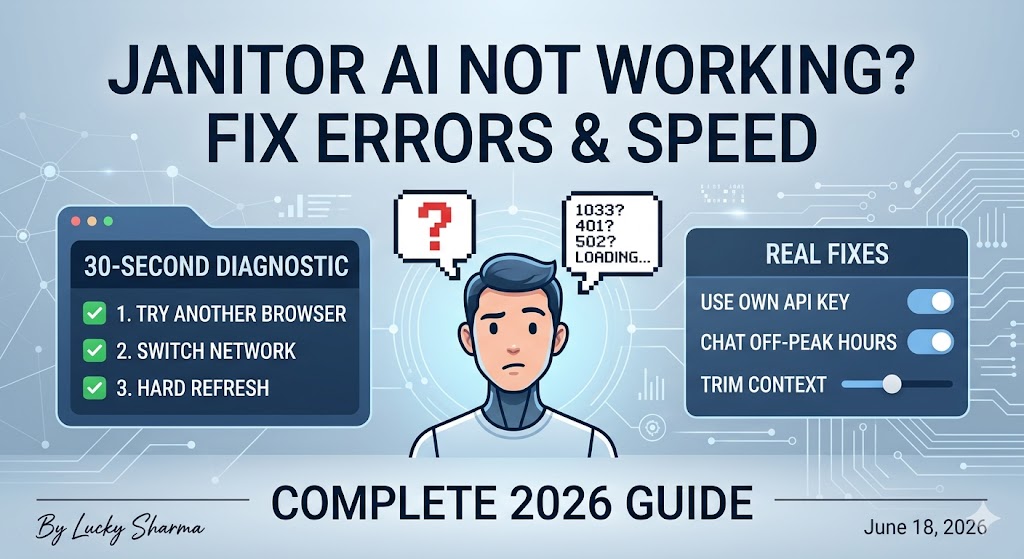
Quick answers:
- Most Janitor AI errors come from the servers, not your device — so many “fixes” online won’t help.
- Error 1033 is a backend/Cloudflare problem, not a browser cache issue.
- The “queue” means the servers are full. It’s not a ban.
- The only real fix for slow speed is chatting off-peak or using your own API key.
We’ve all been there — you sit down for a chat, send one message, and Janitor AI just freezes, lags, or throws some cryptic error code at you. Before you blame your browser or your account, here’s the honest truth: most of the time, it isn’t your fault.
Janitor AI isn’t a simple website. It’s a stack of moving parts — Cloudflare’s security layer, the JanitorLLM backend, and external model providers like DeepSeek and Gemini. When any one of those stumbles, the whole thing looks broken. This guide helps you decode each error, figure out whose side the problem is on, and apply the fix that actually works — including knowing when the only fix is to wait.
Start Here: Find Your Problem Fast
Seeing an error code?
| Code | What’s happening | First move |
|---|---|---|
| 1033 | Backend / Cloudflare | Usually wait |
| 401 | Your API key | Fix the key |
| 502 | Bad gateway | Refresh, then wait |
| 429 | Rate limited | Slow down / wait |
| 500 or 1200 | Servers down | Wait |
No code, just a symptom? Jump to the matching section below:
- Stuck on “replying” → Stuck on “Replying” or Generating
- Blank or white screen → Blank Screen / White Page
- Character won’t respond → Character Not Responding
- Replies are slow → Why Is Janitor AI So Slow?
- Queue message → The Janitor AI Queue
If you’re not sure which applies, start with the 30-second diagnostic right below.
First — Is It You or Janitor? (30-Second Diagnostic)
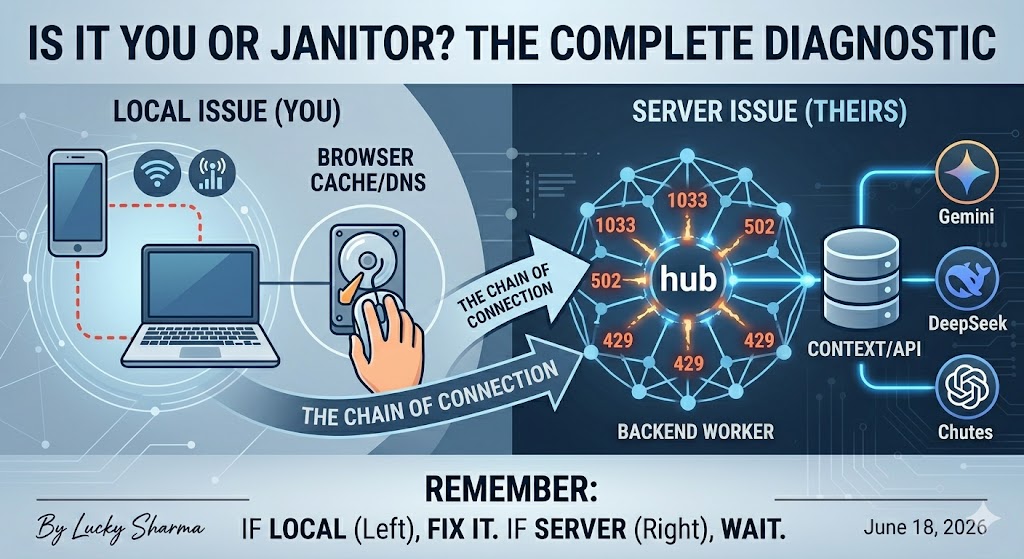
Before you try anything else, run three quick tests. They tell you whether the problem is on your end or theirs, which saves you from wasting time on the wrong fix.
- Open Janitor AI in a different browser or an incognito window. If it works there, your normal browser has a cache or extension conflict.
- Switch from Wi-Fi to mobile data (or the reverse). If one connection works and the other doesn’t, your network is the culprit.
- Hard-refresh the page with Ctrl+Shift+R (Cmd+Shift+R on Mac).
Here’s how to read the results. If Janitor loads fine on another device, browser, or network, the issue is local to you — and the fixes later in this guide will help. If it fails everywhere you try, the problem is on Janitor’s side, and your job is mostly to wait it out.
Is Janitor AI Down Right Now?
Sometimes the fastest answer is simply confirming it’s not just you. Janitor AI doesn’t run a reliable public status page, so you’ll rely on a few outside checks.
- Downdetector — search “Janitor AI” to see if reports are spiking.
- UptimeRobot or StatusGator — both run automated checks on janitorai.com and show recent uptime.
- Reddit (r/JanitorAI_Official) — during a real outage, complaint threads appear within minutes.
- The official X (Twitter) account and Discord — where the team posts maintenance notes.
A sudden flood of reports across these means the outage is widespread, not personal. If everyone’s down, no fix on your end will help. If only you’re affected, keep reading.
Why Janitor AI Breaks So Often
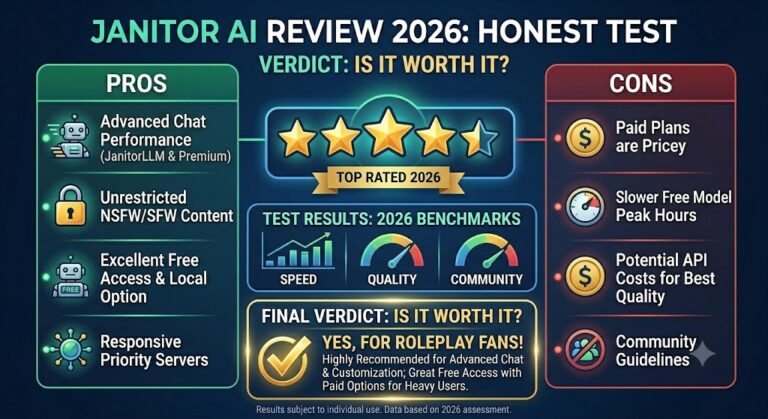
Quick context, because it makes every error below make sense. Your message passes through three layers before a reply comes back: Cloudflare (which screens traffic), Janitor’s own backend workers (JanitorLLM), and whatever external model you’ve connected. (New to the platform? Our complete Janitor AI review explains how the whole system fits together.) A hiccup in any single layer can produce an error — which is why “Janitor is down” often really means “one piece of the chain failed.” Keep that whose-side thinking in mind as you read the table next.
Every Janitor AI Error Code, Decoded
This is the part to bookmark. Each code means something specific, and once you know the meaning, the right move becomes obvious.
| Code | Plain meaning | Your side or theirs? | Realistic fix |
|---|---|---|---|
| 1033 | Cloudflare tunnel/backend connection broke | Usually theirs (JLLM) | Wait; if self-hosting, reconnect your tunnel |
| 502 | Bad Gateway — server gave an invalid response | Usually theirs | Refresh, try another network, then wait |
| 401 | Unauthorized — your key failed | Yours | Re-check or regenerate your API key |
| 429 | Too many requests / rate limited | Mixed | Slow down, switch model, or wait |
| 500 | Internal server error | Theirs | No user fix — wait |
| 403 | Forbidden | Mixed | Refresh; check VPN/region |
| 1200 | Site or JLLM is down | Theirs | Wait; check status |
| “Failed to fetch” | Connection didn’t complete | Mixed | Refresh, check network/key |
| “Not valid JSON” | Backend returned a broken response | Theirs | Usually high traffic — wait |
Notice a pattern: for 500, 1033, and 1200, there’s genuinely no button on your end to press. A lot of guides will tell you to clear your cache for these, which only sets you up for disappointment. Sometimes patience really is the fix.
Error 1033 — “Unhandled LLM Error” Explained
Error 1033 is the one that confuses people most, partly because so many pages misdiagnose it. On Janitor it often shows up as an “Unhandled LLM Error in Worker,” but the underlying cause is a connection failure.
What 1033 actually is. Cloudflare’s own documentation defines 1033 as a tunnel that isn’t connected to Cloudflare’s network. In plain terms, the pathway that carries the model’s response back to you is broken. That’s a backend issue — which is exactly why clearing your browser cache rarely does anything for it. If a guide swears cache-clearing fixes 1033, be skeptical.
If you’re using JanitorLLM (most people). You don’t run the tunnel — Janitor does. So a 1033 here is almost always on their side, usually during heavy traffic or quiet maintenance. The honest fix is to wait and check the status sources above.
If you run your own proxy or Colab. Now the tunnel is your responsibility. A 1033 typically means your tunnel (Cloudflare, localtunnel, ngrok) dropped, or a Colab session went idle and shut down. Reinitialize the tunnel and double-check your API URL for typos or expiry.
How to fix 1033 without a VPN. Most real fixes have nothing to do with a VPN: refresh, confirm Janitor isn’t down for everyone, and if you self-host, restart your tunnel. A VPN only helps in one narrow case — if your specific ISP or region is being blocked by Cloudflare, routing through another location can restore access. That’s the exception, not the rule.
Proxy Error 502 (Bad Gateway)
What 502 means. A server in the chain handed back an invalid response. For Janitor, that usually means its servers are overloaded or down, or the proxy provider you’re using has gone offline.
The fix order. Work through these in sequence rather than randomly:
- Refresh the page (Ctrl+R).
- Try a different browser or an incognito window.
- Switch networks (a mobile hotspot is a quick test).
- If it still fails, wait — the servers likely need time to stabilize, and rapid refreshing won’t speed that up.
502 with DeepSeek specifically. If you’re on DeepSeek and hitting 502, test whether it happens across other models too. If only DeepSeek fails, the provider is likely having a moment — switching to another model, or double-checking your DeepSeek setup, usually gets you moving again. If every model throws 502, the problem is Janitor’s backend, and waiting is the only real option.
Proxy Error 401 (Unauthorized) — Your Key Problem
Unlike most codes here, 401 is genuinely on you — and that’s good news, because it means you can fix it.
What 401 means. Your API key didn’t authenticate. Janitor sent it along, and the provider rejected it.
The usual culprits. Almost every 401 traces back to one of these: an extra space accidentally copied with the key, the wrong key prefix for the provider (an OpenRouter key starts with sk-, a Chutes key with cpk_), an expired or revoked key, or a key with no remaining credits. Regenerate the key from your provider’s dashboard, paste it cleanly with no trailing spaces, and confirm it has balance.
Does clearing cache fix 401? No — and this is worth saying plainly because the search results suggest otherwise. A 401 is an authentication problem, not a cache problem. Clearing cache won’t repair a bad or expired key. Fix the key itself.
Error 429 (Rate Limited / Too Many Requests)
A 429 means too many requests came through too fast. Either you tripped a rate limit, or a free model is swamped by everyone using it at once. Usually it isn’t something you did wrong.
On JanitorLLM. The shared free model is overloaded. There’s no real fix beyond waiting for the crowd to thin out — and peak hours make it worse.
On your own proxy (OpenRouter and similar). Here you’ve likely hit a free-tier ceiling — either the per-minute cap or the daily limit on free models. Slow down, switch to another model, or add credits to raise your daily cap — our OpenRouter setup walkthrough explains how a one-time top-up lifts that limit.
One trap to avoid. Failed requests can still count against your quota, so hammering the retry button actually digs you deeper. Space your messages out and give it a minute.
Why Is Janitor AI So Slow?
Slow Janitor AI is rarely one single bug. It’s usually several things stacking up at once.
The real causes. Peak traffic tops the list — Janitor’s free shared compute gets squeezed when thousands of people pile on at once. Beyond that: long conversations carry a bigger context for the model to chew through, complex character cards demand more processing, your device or browser may be overloaded, and international routing can add delay before your request even reaches the model.
Slow versus actually broken. This trips a lot of people up. If your replies are arriving but feel repetitive, looping, or oddly flat, that’s a model-quality issue, not a speed one — and the JanitorLLM model has drawn community complaints about exactly this in 2026. Rerolling or rephrasing helps with quality problems; it won’t help with raw latency. Knowing which you’re facing saves you from chasing the wrong fix.
Extensions can sabotage you. Ad blockers and privacy extensions sometimes block or interfere with Janitor’s API calls, causing silent failures and slow retries. Quick test: open the site in an incognito window with extensions off. If it suddenly behaves, an extension was the problem.
The Janitor AI Queue — and How to Actually Skip It
What the queue means. When you see a queue or capacity message, the servers are processing more requests than they can handle, so yours gets held or dropped. It is not a ban, not a content flag, and not tied to your account. If the queue “keeps resetting,” that’s just the load shifting — you’re cycling in and out of a backlog, not being punished.
The real bypass. There’s no clever browser trick that jumps the line, despite what some posts claim — your spot in the queue lives on Janitor’s servers, not in your tab. The two honest fixes are chatting during quieter hours, or routing around the shared system entirely by using your own API key. Connecting a personal key (through OpenRouter or a provider directly) takes you off the crowded free backend. Here’s how to set up a free proxy or API key, step by step.
When Is Janitor Slowest? Peak-Hours Guide for US Users
Timing matters more than most people realize. Janitor tends to bog down during US evening hours — roughly the late-afternoon-to-late-night window in Eastern time, when the bulk of the user base logs on together. Treat these as approximate, since traffic shifts, but the pattern holds.
If you can, chat outside that window — early mornings or midday on the East Coast are usually smoother. It costs nothing, and for a lot of users it’s the single most effective speed fix. No setup, no key, just better timing.
Speed Up Long Chats — Trim the Context
Here’s something the slowness guides skip: your own chat length can be the problem. As a conversation grows, every new message carries the entire history along with it, and the model has to process all of it before replying. The longer the chat, the slower — and shakier — it gets.
The fix is to trim what the model carries. Summarize older parts of the conversation into a short memory note, clear out stale details, or start a fresh chat for a new scene. Lighter context means faster, more reliable responses. If your replies have been crawling in a marathon chat, this alone can noticeably cut your response time.
Keep a Fallback Model Ready
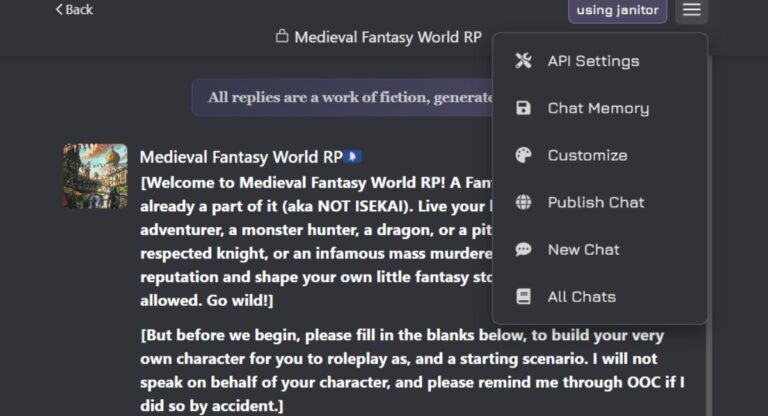
Models go down or get overloaded independently, so don’t pin everything on one. Set up a second proxy configuration in your API settings as a backup — when your main model slows to a crawl, you switch over in seconds instead of sitting there refreshing.
One honest note on how this works: switching models doesn’t erase your conversation. Janitor sends the chat history with each request, so your story carries over — but the new model reads it fresh and may pick up the tone slightly differently. That’s a small price for staying online when one model stalls.
Janitor AI Stuck on “Replying” or Generating
This is one of the most common complaints out there — the message sends, the dots spin, and nothing ever arrives. A few specific things cause it.
The usual reasons: the model crashed or timed out mid-response, your chat’s context grew too large for it to finish, or the provider behind your proxy hit a snag. During peak hours, it’s often just load.
When to refresh versus wait: first, hard-refresh once (Ctrl+Shift+R) — a single transient stall clears this most of the time. If it sticks, shorten the chat by trimming or summarizing, or switch to a backup model. If every model stalls and the diagnostic points to Janitor’s side, there’s no button to press — wait it out.
Character Not Responding (or Won’t Open)
This one’s slightly different from a stuck reply — here the character itself misbehaves. Sometimes the library goes blank when you open it, sometimes a character appears but clicking does nothing, and sometimes messages send with zero reply.
Usually this is a broken interface during high load or a backend hiccup, not your account. Quick passes: refresh the page, reopen the character from the library, and check whether other characters work. If none of them respond, it’s server-side. If you’re on a custom proxy and only one long chat fails, your context is probably too big — start a fresh chat.
Blank Screen / White Page
You open Janitor AI and… nothing. Just a white or blank screen. This splits cleanly into two causes, so test which one you’ve got.
If it’s blank everywhere — other browsers, incognito, mobile data — it’s almost always server-side. Blank pages usually mean something broke on Janitor’s backend, and waiting is the real fix. If it loads fine elsewhere, the problem is local: clear your browser cache and cookies, disable extensions (ad blockers especially), and update your browser. A stale cache or a script-blocking extension is the most common local cause.
Janitor AI Not Working on Mobile
Mobile has its own quirks that desktop guides ignore, and a big chunk of users are on phones.
Start with the same network test: if Janitor works on mobile data but not your home Wi-Fi, your router or ISP is the issue, not the app. Beyond that, mobile browsers clear local storage more aggressively, so your settings or keys can vanish between sessions — re-enter them and save. And if Safari is giving you trouble, try Chrome (or vice versa); the two handle Janitor’s heavier pages differently.
The Clean Reset Routine (Client-Side Only)
When the problem really is on your end, this sequence clears most of it in one pass:
- Log out of Janitor AI.
- Clear your browser cache and cookies (and flush your DNS if you’re comfortable doing so).
- Hard-refresh the page (Ctrl+Shift+R).
- Log back in and retry.
One honest caveat so you don’t waste time: this routine fixes local issues only. If you’re staring at a 500, 1033, or 1200, those are server-side — no amount of logging out and refreshing will touch them. For those, the fix is patience.
❓ Frequently Asked Questions (FAQ)
Is Janitor AI down right now?
Why do I keep getting error 1033?
How do I fix a 502 error?
Is the queue a ban?
Why is it stuck on “replying” or a loading screen?
Final Take
Most “Janitor AI not working” moments come down to one habit: diagnose before you fix. Figure out whether it’s you or them, match the error code to its real meaning, and then apply the fix that fits — even when that fix is simply waiting. Those error codes look intimidating, but once you’ve got this map, the logic behind them is pretty simple.
New here, or want fewer errors in the first place? Start with the full Janitor AI Review 2026, and if slow speeds keep hitting you, the Free Proxy & API Key guide shows how using your own key takes you off the crowded free servers. For a popular, low-cost setup, our DeepSeek setup guide gets you running in minutes.



One Comment