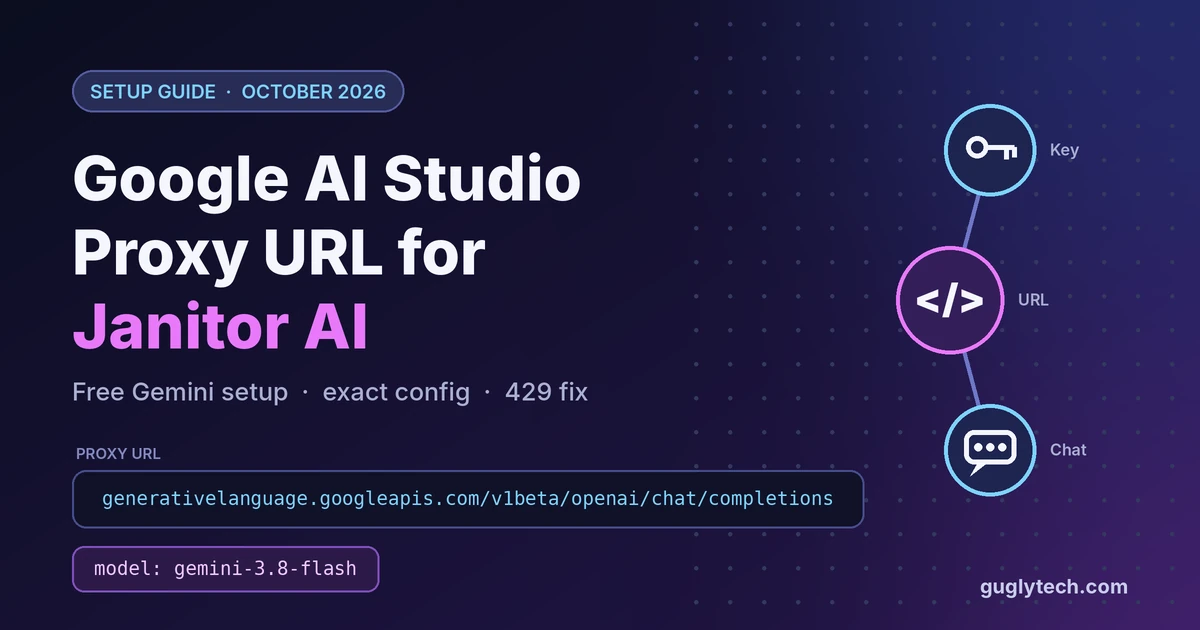
If you just need the answer, here it is. To run Google’s Gemini on Janitor AI with a free Google AI Studio key, use this proxy URL:
https://generativelanguage.googleapis.com/v1beta/openai/chat/completions
Pair it with the model name gemini-3.8-flash and your AI Studio API key. That’s the whole config.
The URL itself rarely changes. What breaks people is everything around it: a URL copied from the wrong Google doc, a model name from a 2025 tutorial, or a key pasted into a stranger’s proxy server. This guide covers the exact config first, then the mistakes that cause most failed setups.
A quick note on how this guide was put together: every value below comes from Google’s own Gemini API documentation and Janitor AI’s help center, checked in October 2026. We haven’t run this exact config through Janitor ourselves, so where Janitor’s behavior isn’t documented, we say so.
The Exact Config (Copy and Paste)
Janitor AI Proxy Setup Configuration
| Janitor Field | What to Enter |
|---|---|
| Config name | Anything you like, e.g. “Gemini Flash” |
| Model name | gemini-3.8-flash |
| Proxy URL | https://generativelanguage.googleapis.com/v1beta/openai/chat/completions |
| API key | Your Google AI Studio key (no spaces before or after) |
This URL is Google’s official OpenAI-compatible endpoint. Google’s OpenAI compatibility docs use this exact address, and it exists so tools built for OpenAI’s request format can talk to Gemini. Janitor’s proxy setting speaks that format, which is why the direct Google URL works without any middleman.
How to Set It Up, Step by Step
1. Create your API key in Google AI Studio
Go to aistudio.google.com/apikey, sign in with a Google account, and create a key. The free tier doesn’t ask for a payment method.
Treat this key like a password. Anyone who has it can burn through your quota, and on a paid account, your money.
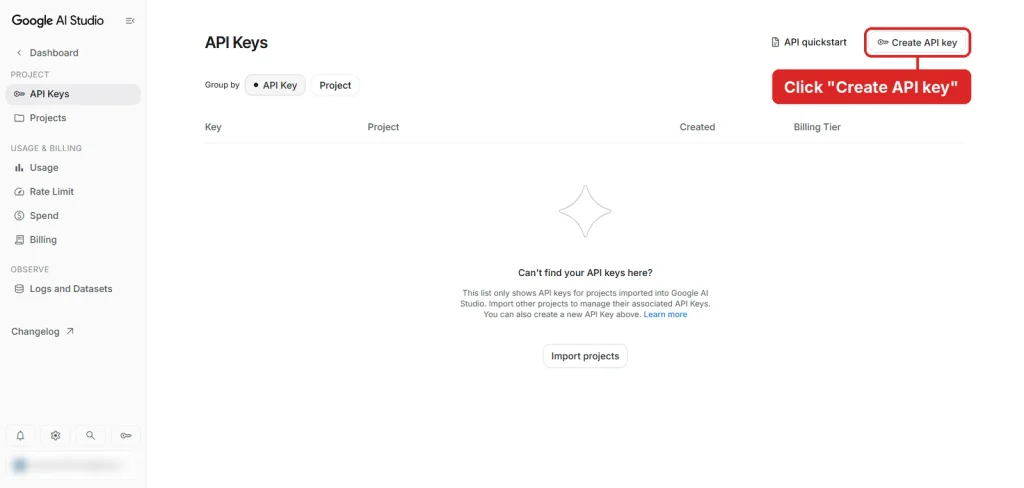
2. Open the proxy settings in Janitor
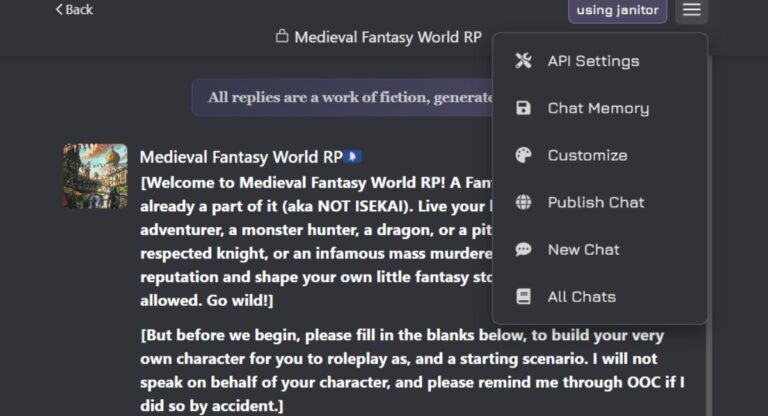
Open a chat with any proxy-compatible character. Go to API Settings, choose Proxy, then click Add Configuration.
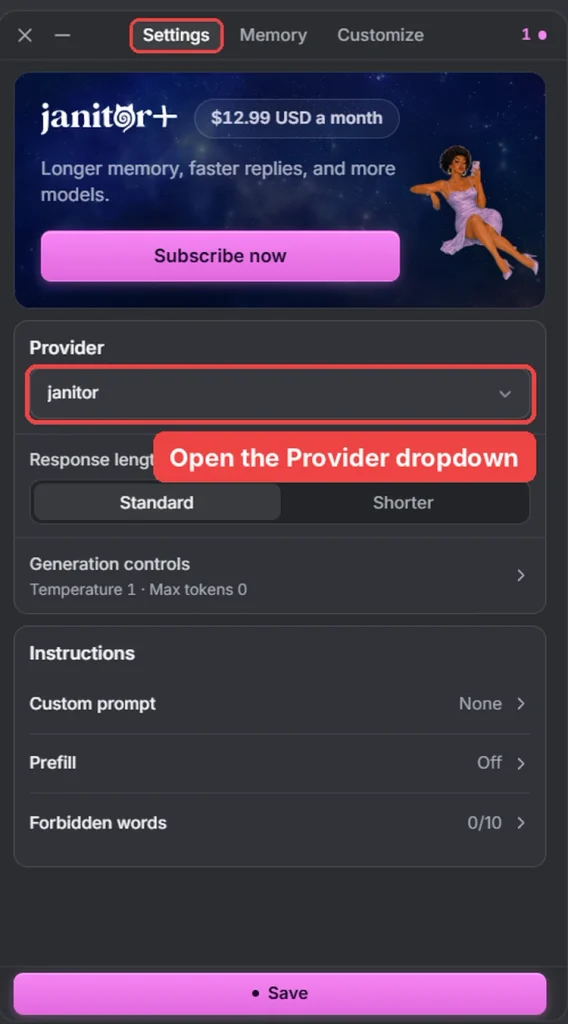
3. Fill in the four fields
Use the values from the table above. The model name must be lowercase and exact.
4. Save, refresh, then test
This order matters more than people expect. Janitor’s own help center recommends checking that your config is marked Active, clicking Save Settings, refreshing the whole Janitor page, and only then pressing Test. A new proxy URL often doesn’t take effect until after that refresh.
If the test passes, you’re done. If it fails, the next two sections cover the usual causes.
For a broader walkthrough of how Janitor’s proxy system works across providers, see our complete Janitor AI proxy and API key guide.
Which Google URL Is Which (and Why Most Fail on Janitor)
Search for “Gemini API URL” and you’ll find at least five different addresses. Only one of them is the right fit for Janitor’s proxy field when you connect directly.
Janitor AI Proxy URL Compatibility Matrix
| URL you might find | What it is | Works in Janitor’s proxy field? |
|---|---|---|
| https://generativelanguage.googleapis.com/v1beta/openai/chat/completions | Google’s OpenAI-compatible chat endpoint | Yes. This is the one ✅ |
| https://generativelanguage.googleapis.com/v1beta/openai/ | The same endpoint’s base URL, used by coding SDKs | Risky ⚠️ Janitor’s documented proxy examples use full path ending in /chat/completions |
| https://generativelanguage.googleapis.com/v1beta/models/gemini-3.8-flash:generateContent | Google’s native Gemini format | No ❌ Janitor sends OpenAI-style requests, expects Google’s own format |
| https://{LOCATION}-aiplatform.googleapis.com/… | Vertex AI on Google Cloud | No ❌ Vertex authenticates with OAuth or service accounts, not AI Studio key |
| https://aistudio.google.com | The AI Studio website | No ❌ That’s where you create the key, not an API |
The native :generateContent URL trips people up most, because it appears first in a lot of Google’s quickstart material. It’s a perfectly valid endpoint. It just speaks a different request format than Janitor does.
One more trap: a missing /openai/ segment or a stray trailing space will break an otherwise correct URL. Paste it from the code block above rather than typing it.
The Model Name Trap: Old Tutorials Are Now Wrong
This is the part most guides haven’t caught up with, and it’s the likeliest reason a setup that “should work” doesn’t.
Gemini 2.5 is off-limits for new accounts
A lot of Janitor tutorials still tell you to enter gemini-2.5-pro or gemini-2.5-flash. On September 18, 2026, Google limited access to the 2.5 models to users who had actively used them before. The models aren’t deprecated, but if your account is new to them, Google’s guidance is to use the newer 3.x models instead.
So if you followed an older guide and your test keeps failing, the model name is the first thing to change.
Gemini 3.7 Flash quietly became 3.8 Flash
Google deprecated gemini-3.7-flash on October 8, 2026, and now routes requests for it to gemini-3.8-flash automatically. An old 3.7 config will still respond, but you’re already talking to 3.8. Update the name so your config says what it actually runs.
Which models are free right now
According to Google’s pricing page, these text models currently have a free tier:
Gemini Model Names for Janitor AI
| Model name for Janitor | Free tier | Notes |
|---|---|---|
| gemini-3.8-flash | Yes ✅ | Google’s newest Flash model and the sensible default |
| gemini-3.6-flash | Yes ✅ | Previous Flash generation |
| gemini-3.5-flash-lite | Yes ✅ | Lighter and cheaper on the paid tier |
| gemini-3.1-flash-lite | Yes ✅ | The lightest current option |
| gemini-4-argon | No 🔒 | Google’s strongest model, paid only |
| gemini-3.1-pro-preview | No 🔒 | Paid only |
If you enter a paid-only model on a free account, expect the request to fail rather than quietly downgrade.
Free Tier Limits and the 429 Error
The most common complaint about Gemini on Janitor isn’t setup. It’s the 429 “Resource has been exhausted” error halfway through a chat. Here’s what Google actually documents about it.
- Google doesn’t publish one fixed free-tier number. Its rate limits page says your limits depend on several factors and points you to your own rate limit dashboard in AI Studio. Any blog quoting a single universal “requests per day” figure is quoting a snapshot of someone else’s account.
- Limits apply per project, not per key. Creating a second API key inside the same Google Cloud project gives you nothing extra. This is the most common wasted fix on forums.
- Daily quotas reset at midnight Pacific time. If you hit the daily cap, waiting until then is the only free fix.
- Per-minute limits are separate. Swiping or regenerating rapidly can trip a per-minute cap even when your daily budget is fine. Slowing down for a minute usually clears it.
- Flash-Lite is a reasonable fallback. If 3.8 Flash keeps hitting limits, switching to
gemini-3.5-flash-liteorgemini-3.1-flash-liteis worth trying. Check your AI Studio dashboard to see what your account actually allows for each.
For other error codes and Janitor-side problems, our Janitor AI troubleshooting hub walks through each one.
Settings Worth Checking Before You Blame the URL
Max new tokens
Current Gemini models reason internally before they answer, and Google bills those “thinking” tokens as part of the output. That means a low output-token cap can get partly consumed before the visible reply even starts.
If Gemini’s replies on Janitor come back cut off after a line or two, or empty, raise your max new tokens setting well above where you’d keep it for a non-thinking model. We haven’t confirmed exactly how Janitor passes this value to Google, so treat it as the first thing to experiment with rather than a guaranteed fix.
Temperature
Google deprecated the temperature, top_p, and top_k sampling parameters on July 21, 2026. Leaving Janitor’s temperature at its default is the safe choice. If you want a different writing style, change the character’s prompt or example dialogue instead of the slider.
Empty replies and blocked content
Some empty or failed replies have nothing to do with your settings. Google runs built-in safety protections, including blocks on content that endangers children, that can’t be switched off by any user or proxy. When those trigger, the request returns nothing usable. No URL or model swap changes that.
Direct URL vs. Community Proxies: What You Hand Over
Search Reddit or GitHub and you’ll find community-built Gemini proxies for Janitor: projects like GeminiForJanitors, Google Colab notebooks, and Cloudflare-tunnel scripts. They give you a different proxy URL to paste into Janitor instead of Google’s.
These projects usually exist to smooth over formatting quirks between Janitor and Gemini, handle Gemini’s thinking output, or add retry and cooldown logic. Some are genuinely useful, and GeminiForJanitors, for example, documents how to run your own copy locally or deploy it to a hosting service.
The trade-off is simple. With a community proxy, your AI Studio key passes through someone else’s server. Whoever runs that server can technically see the key, and its uptime depends on their goodwill and hosting budget.
Proxy Connection Method Comparison
| Feature | Direct Google URL | Public Community Proxy | Self-Hosted Community Proxy |
|---|---|---|---|
| Who sees your key | Only Google | Google and the proxy operator | Google and you |
| Setup effort | Lowest | Low | Higher (hosting or a local tunnel) |
| Reliability | Google’s infrastructure | Depends on one person’s server | Depends on your setup |
| Extra features | None | Whatever the operator built | Whatever the project offers |
Our take: start with the direct URL. If you later want a community proxy’s features, self-host it or use an operator you actually trust. And if you ever paste your key into a public proxy and then stop using it, delete that key in AI Studio and create a fresh one.
One thing to be clear-eyed about: no proxy can disable Google’s non-adjustable protections, whatever a project’s description promises.
Privacy: The Hidden Cost of “Free”
Google’s free tier costs no money, but its pricing page states plainly that content sent on the free tier is used to improve Google’s products. On paid tiers, it isn’t.
For roleplay, that means your chats on a free key aren’t private from Google. That’s worth knowing before you decide what to write. Our Janitor AI safety and privacy breakdown covers the Janitor side of the same question.
Why So Many Janitor Users Are Switching to Gemini
For a long stretch, free DeepSeek through OpenRouter was the default budget setup on Janitor. That route has dried up: DeepSeek’s own API has always been paid, and recent third-party checks found no free DeepSeek model listed on OpenRouter as of October 2026. Google AI Studio is now one of the few major providers still offering a direct free tier with a strong model.
If you’d rather pay a small amount for DeepSeek, our DeepSeek setup for Janitor AI covers that route. If you want to stay free but outside Google, see our roundup of free OpenRouter models that still work on Janitor.
Quick Troubleshooting Checklist
Run through this before you search for a new URL:
- The URL ends in
/v1beta/openai/chat/completionswith no trailing space - The model name is
gemini-3.8-flash(not a 2.5 or 3.7 model from an old guide) - The API key has no leading or trailing spaces
- The config is marked Active
- You clicked Save Settings and refreshed the full page before testing
- Your AI Studio rate-limit dashboard shows quota left for today
- You’re not on a paid-only model like Gemini 4 Argon with a free key
If all of that checks out and it still fails, the issue is usually on Google’s side or Janitor’s. Wait a few minutes and test again.
For the bigger picture on Janitor itself, from features to free vs. paid options, our full Janitor AI review is the place to start.
FAQ
Janitor AI Gemini Proxy Frequently Asked Questions
https://generativelanguage.googleapis.com/v1beta/openai/chat/completions. It’s Google’s official OpenAI-compatible endpoint, and it works with a standard AI Studio API key.
gemini-3.8-flash, in the separate model field. Don’t add the model name to the URL.