On JanitorLLM, the free model that runs your chats by default, there are exactly two numbers you can type in and a handful of toggles. Everything else people call “JLLM settings” is actually a token budget problem wearing a costume.
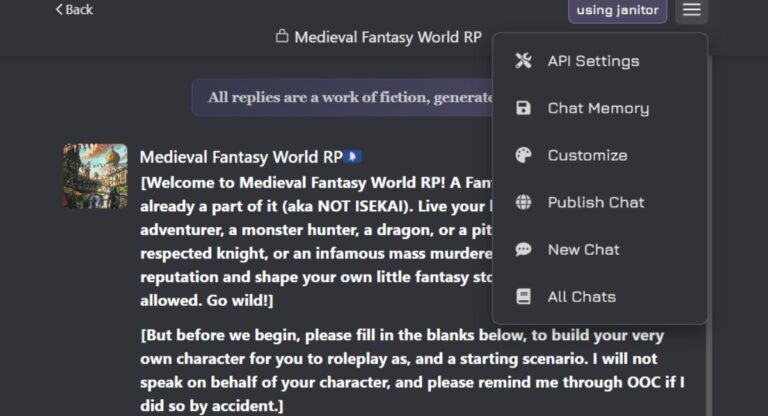
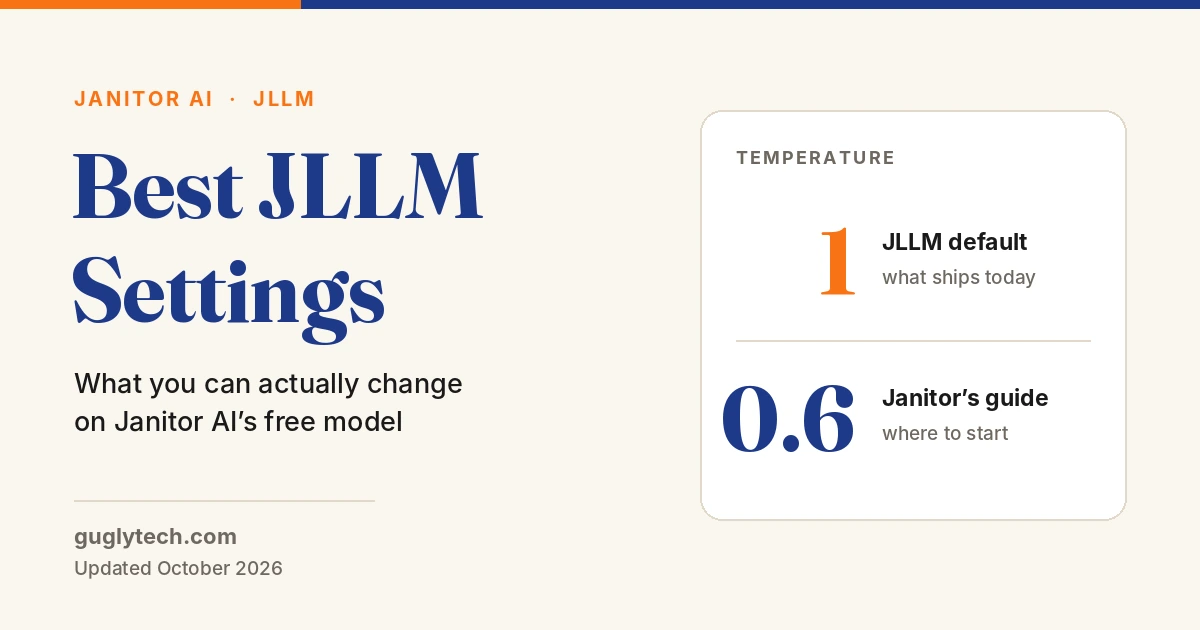
Here is the short version. Open any chat, tap the menu, and look under Generation controls. JLLM ships with Temperature 1 and Max tokens 0. Janitor’s own help centre tells you to start at 0.6 and stay under 1.0, which means the default sits above the ceiling the documentation recommends. Lowering temperature to around 0.6 is the single highest-impact change most people can make, and it takes four seconds.
After that, the gains come from how you spend roughly 9,000 tokens of context, not from hunting for sliders that do not exist.
What you can actually change on JLLM
This is the panel as it stands in October 2026, with the provider set to janitor.
| Control | Where it lives | Default | Worth changing? |
|---|---|---|---|
| Temperature | Settings → Generation controls | 1 | Yes. Drop toward 0.6 |
| Max tokens | Settings → Generation controls | 0 (unlimited) | Rarely |
| Response length | Settings → Standard / Shorter | Standard | Only if replies run long |
| Custom prompt | Settings → Instructions | None | Yes. Biggest lever after temperature |
| Prefill | Settings → Instructions | Off | Situational |
| Forbidden words | Settings → Instructions | 0 / 10 | Useful for tics and catchphrases |
| Context size | — | Not adjustable | You cannot set it |
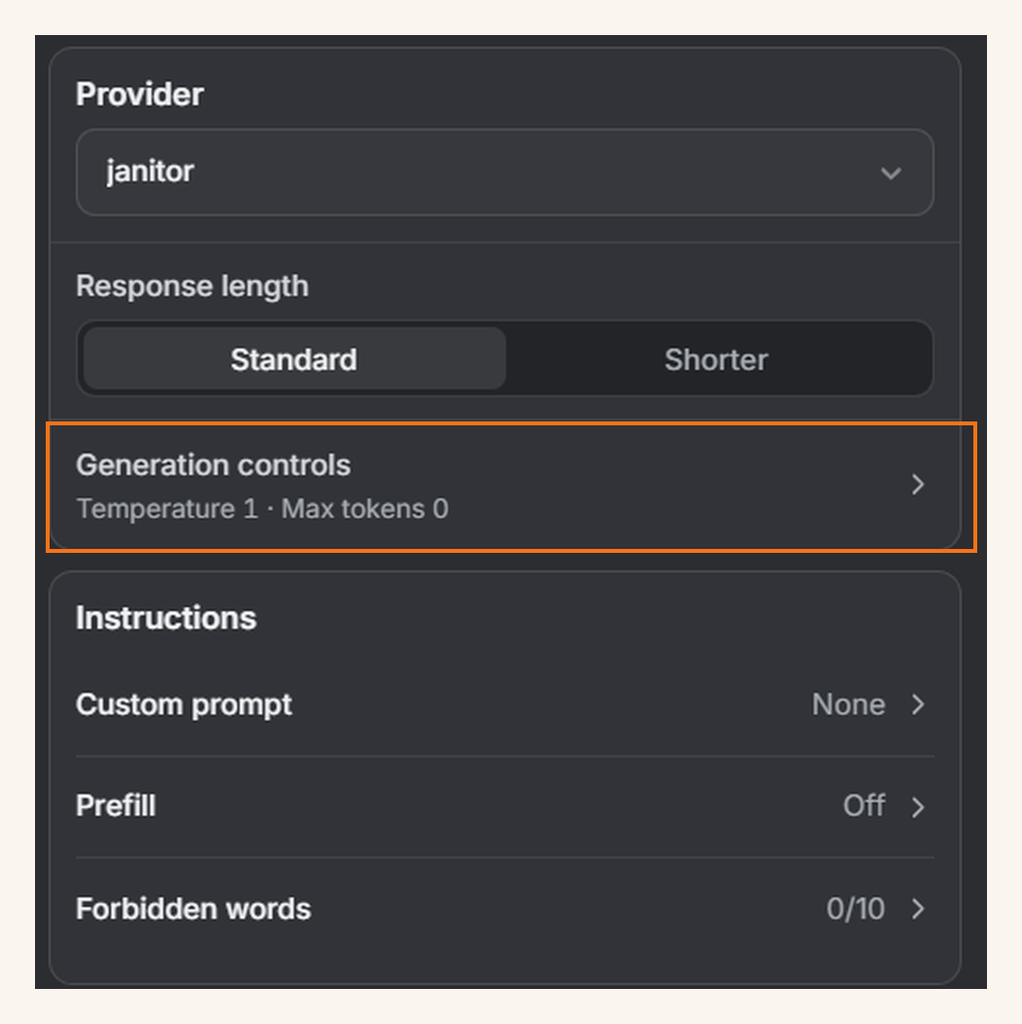
Two notes on honesty here. Context size is not a setting on JLLM. It is fixed by your plan. Every guide telling you to set a context window of 6,144 or 8,192 tokens is describing a field that does not appear when Janitor’s own model is selected, and copying those numbers does nothing.
Second, the Generation controls row is collapsed by default and shows a summary line. Whether Top P, Top K, and repetition penalty sit behind it on JLLM varies by build and has moved around during 2026 interface updates. Expand it and read what your account actually shows rather than trusting a settings table from a blog post, this one included.
The temperature number, and why the default is wrong
Janitor’s help centre is unusually direct about this. Its guidance is to start at 0.6, adjust in steps of 0.1, and keep the value below 1.0 unless you want your story to derail.
JLLM ships at 1.
Where JLLM starts vs. where Janitor says to start
At 1, JLLM picks less probable words more often. That reads as creative for three messages and as forgetful by message thirty. Characters drift, details slip, and the model starts wandering away from the scene you set up.
Set it to 0.6. Play for a few exchanges. If replies feel flat or formulaic, add 0.1. If the bot starts producing word salad or inventing plot you never asked for, take 0.1 back off. Most people settle between 0.6 and 0.8.
One caution worth repeating: raising temperature does not make a vague setup interesting. It makes a vague setup random. If your bot is boring at 0.6, the problem is almost always the character card or your own writing, not the slider.
Max tokens, and the length toggle
Max tokens is set to 0, which means unlimited. Leave it there in most cases. A cap produces replies that stop mid-sentence, which is more annoying than a reply that runs a paragraph too long. If a reply is too long, edit it down and keep playing.
If you consistently want shorter output, use the Response length toggle and switch it from Standard to Shorter. That is the control built for this job. Some users report that the token cap behaves inconsistently on JLLM, so steering length through the toggle and your custom prompt is more reliable than fighting the number.
The real setting: your 9,000-token budget
This is the part almost nobody covers, and it matters more than every slider combined.
JLLM reads roughly 8,000 to 9,000 tokens at once. Janitor’s free plan states a context window of about 9k. That budget is shared between permanent content and conversation.
Permanent content is everything that gets resent with every single message: the bot’s definition, your persona, your custom prompt, and your chat memory. Conversation is the actual back-and-forth. The larger your permanent block, the less room is left for the story, and when the budget fills, the oldest messages fall out silently. No warning, no error. Just a bot that forgets your name.
Janitor’s own guidance: keep permanent content under 1,500 tokens. Past 2,000, you are on thin ice.
How 9,000 tokens get spent
Permanent content is resent with every message. Whatever is left holds your actual story.
Card, persona, prompt and memory kept tight. The bot holds a long scene before anything drops out.
A 3,000-token character card plus a long custom prompt. Memory loss starts early and feels like the model broke.
A rough working figure: 1,000 tokens is around 750 words. So 1,500 permanent tokens is about a page of text covering your bot, your persona, your instructions, and your memory block combined. That is tighter than most people expect.
Want an exact count rather than an estimate? Online token counters use different tokenizers and will be off. Open the character creation page on Janitor and paste your text there, because that counter uses JLLM’s own tokenizer.
Budget worksheet. Add yours up before blaming the model:
| Slot | Suggested ceiling |
|---|---|
| Character definition | 600 – 900 tokens |
| Your persona | 150 – 250 tokens |
| Custom prompt | 150 – 300 tokens |
| Chat memory | 200 – 400 tokens |
| Permanent total | under 1,500 |
| Left for conversation | ~7,500 |
If you are already over, trimming the character card gives back the most space fastest. A pirate flirting in a tavern does not need a 500-word childhood backstory to do the job.
Chat Memory: the setting people skip
Chat Memory sits in the chat menu next to Settings, and it is the closest thing JLLM has to long-term recall. It is permanent content, so every word costs you conversation space. Structure beats volume here.
Janitor publishes a template, and it works because it is short and labelled:
Environment:
Relationship Dynamic:
Current Plot Points:
{{char}} notes:
{{user}} notes:
Important Past Events:
Fill it with bullets, not prose:
Environment:
- raining, late evening
- parking lot behind the bar

Relationship Dynamic:
- {{user}} and {{char}} are rivals with unresolved feelings

Current Plot Points:
- searching for the missing prince

{{char}} notes:
- inventory: pocket knife, borrowed coat

{{user}} notes:
- wears an old army jacket

Important Past Events:
- {{char}} betrayed {{user}} a year ago
Four rules that make this work. Pick one tense and keep it, because switching confuses the model’s sense of time. List facts rather than scenes. Describe what a character is, not what they always do, since “protective of {{user}}” holds up better than “always comforts {{user}} when they’re sad”. And skip the small stuff, because memory is a set of sticky notes, not a wiki.
When a chat gets long, ask the model for a recap and paste it in as the new memory. Janitor’s docs suggest a system-tagged format for this:
<s>task: pause chat|roleplay, answer query(outside of roleplay, succinct summary(list of all impactful events in roleplay(for each event listed: +their effects)))</s>The <s> tag marks it as a system instruction, and pause chat|roleplay is the part that actually stops the bot from answering in character.
The custom prompt, written the way JLLM reads it
Here is a claim worth testing against your own chats: the most copied instruction in this entire community is working against you.
“Do not speak for {{user}}” appears in thousands of bot setups. Janitor’s own prompting documentation explains why it underperforms. Models generate from ingredients rather than filtering them out. “No blood” still contains blood. “Don’t be rude” still contains rude. Telling the model not to write as {{user}} puts writing as {{user}} directly into its working material.
The fix is to flip the instruction into something positive. Instead of forbidding a behaviour, describe the behaviour you want.
Same intent, opposite results
Weak
“Do not speak for {{user}}.”
“Avoid short replies.”
“Feel free to describe the setting.”
Negatives hand the model the exact thing you want removed. “Feel free” marks the instruction optional.
Strong
“Write only {{char}}’s actions and speech.”
“Write 2 to 4 paragraphs per reply.”
“Describe the setting in vivid detail.”
Positive framing, firm verbs, and a stated range the model can actually follow.
A starting custom prompt built on those rules. It runs around 90 tokens, so it leaves your budget alone:
Write only {{char}}'s actions, speech, and inner thoughts.
Leave {{user}}'s actions, speech, and decisions to the user.
Maintain third-person past tense throughout.
Write 2 to 4 paragraphs per reply.
Advance the scene in every reply with a new action, line of dialogue, or detail.
Keep {{char}} consistent with their established personality and current mood.
End each reply at a point where {{user}} can respond.
Four more things Janitor’s documentation flags that are worth knowing. Saying the same instruction three different ways adds tokens and noise, not obedience. Conditional “if X then Y” rules often fail, so state the outcome directly. Counts like “no more than three paragraphs” can get read as arithmetic, so phrase them as ranges. And asking ChatGPT to write your Janitor prompt produces polite, hedged, bloated text that performs badly, though using it to analyse a prompt you wrote yourself works fine.
Prefill seeds the opening of the bot’s reply, which is useful when a bot keeps opening every message the same way. Forbidden words gives you ten slots, best spent on a specific tic rather than broad concepts. If a bot says “a shiver ran down her spine” in every third message, that is what the slots are for.
Three setups by chat type
| Chat type | Temperature | Response length | Permanent budget | Priority |
|---|---|---|---|---|
| Long-running roleplay | 0.6 – 0.7 | Standard | Under 1,200 | Memory discipline, summarise every 15–20 messages |
| Short scene or one-shot | 0.7 – 0.8 | Standard | Under 1,800 | Card quality, memory barely matters |
| Co-writing or drafting | 0.5 – 0.6 | Shorter | Under 1,000 | Tight custom prompt, consistent tense |
These are starting points, not verdicts. Move one variable at a time so you can tell what actually changed.
When settings cannot fix it
There is a hard limit to what tuning achieves. If you are 200 messages into a story with a detailed world, no temperature value creates context that does not exist. At that point you are choosing between three options.
Free JLLM, janitor+, or your own proxy
~9k context, unlimited chats, standard models.
Right for you if your sessions run short, or your permanent block is already under 1,500 tokens and memory rarely breaks.
Five times the context, priority routing when the site is busy, monthly enhanced swipes, access to more models.
Right for you if you want more memory with zero setup and no interest in managing API keys.
Connect a model yourself and pay the provider directly per token.
Right for you if you want the largest context available and will trade twenty minutes of setup for it. This is also where the full generation settings panel opens up.
One honest gap: Janitor describes janitor+ as “5x more context” and does not publish an exact token figure for it. Treat the widely circulated numbers as arithmetic on the free tier’s ~9k, not as a published spec.
If the proxy route appeals, the practical starting points are connecting DeepSeek to your Janitor account, which is the cheapest capable option most people land on, and the free models currently worth routing through OpenRouter if you would rather not spend anything at all. The full walkthrough for getting a key and pasting in a proxy URL covers the setup end to end.
Symptom to cause
| What you are seeing | Usual cause | What to change |
|---|---|---|
| Bot repeats a phrase every few messages | Temperature too low, or a tic baked into the card | Raise by 0.1, or add the phrase to Forbidden words |
| Replies feel random, characters drift | Temperature at or above 1 | Drop to 0.6 and work up |
| Bot forgets names and plot points | Context full, permanent block too large | Trim the card, summarise into Chat Memory |
| Bot writes your character’s lines | Negative phrasing in the custom prompt | Switch to “Write only {{char}}’s actions and speech” |
| Replies suddenly short | Response length set to Shorter | Switch back to Standard |
| Replies cut off mid-sentence | Max tokens capped | Set it back to 0 |
If what you are hitting is an error message rather than a quality problem, that is a separate category with separate fixes, and our guide to the errors that settings cannot touch walks through them. For the wider picture on where this platform is strong and where it genuinely is not, the full Janitor AI assessment covers the ground this page does not.
FAQ
JLLM Frequently Asked Questions
What is the best temperature for JLLM?
Start at 0.6, which is what Janitor’s own documentation recommends, and adjust by 0.1 at a time. Stay under 1.0. The shipped default is 1, so lowering it is usually an improvement rather than a tweak.
Why can’t I find advanced generation settings on JLLM?
They are collapsed behind the Generation controls row in chat settings, which shows a summary line instead of the full panel. Which individual parameters appear there has shifted across 2026 interface updates, so expand it and check your own account rather than relying on a settings table.
What is the best context size for JLLM?
There is nothing to set. Context on Janitor’s own model is fixed by your plan at around 9,000 tokens on free. Any guide giving you a context number to enter is describing a field that belongs to external models.
How many tokens does the free tier give me?
Around 9,000, shared between permanent content and your conversation. Keep permanent content under 1,500 and roughly 7,500 remains for the story itself.
Why does my bot forget things I clearly told it?
Because the information left the context window. Either it was buried in a long permanent block, phrased vaguely, or pushed out by newer messages. Move the important facts into Chat Memory as short bullets.
Does setting Max tokens higher make replies longer?
No. It raises a ceiling rather than setting a target. Length comes from your custom prompt and the Response length toggle.
Is janitor+ worth it just for the context?
It depends on whether you want convenience or capacity. At $12.99 a month it gives five times the context with no setup. An external model through a proxy generally offers more context for less, in exchange for configuring it yourself.
Sources
- Understanding Temperature — Janitor AI help centre
- Tokens: Your AI’s Memory Budget — Janitor AI help centre
- Chat Memory & Context Management — Janitor AI help centre
- Advanced Prompting 101 — Janitor AI help centre
- FAQ: Subscription — Janitorai+ — Janitor AI help centre
Settings panel defaults and janitor+ pricing confirmed directly in the Janitor AI interface, October 2026.