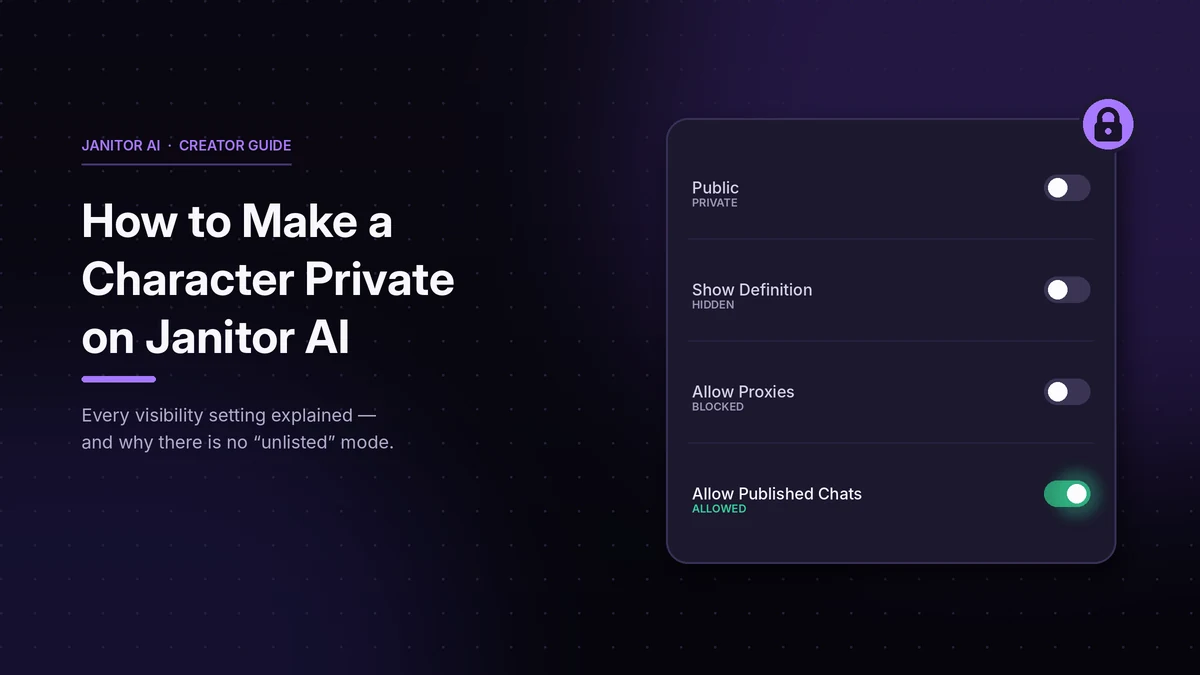
If you just built a character on Janitor AI and you don’t want strangers chatting with it, you’re already done. New characters are private the moment you create them, and the creation form doesn’t even ask.
What people are usually looking for is one of two other things: how to pull back a character they already published, or what the cluster of toggles on the character page actually controls. That second one is where most guides fall apart, and where one default setting catches creators out.
The short answer
- Just created a character? It’s private. A closed lock icon sits on the character card, and the status panel reads
visibility: PRIVATE. - Want to publish it? Open the character and switch the Public toggle on.
- Published something you want hidden? Switch that same toggle off. The change is immediate and reversible.
- Looking for an “unlisted” mode? There isn’t one. More on that below, because nearly every guide on this topic says otherwise.
Why your character starts private
The character creation form has two sections, General and Definition, and neither one contains a visibility setting. You fill in the image, title, tags, personality and opening message, then hit create.
Visibility controls only appear afterwards, on the character’s own page. That design makes the default unavoidable: a character can’t be born public, because there’s no way to publish it during creation.
This matches Janitor AI’s official bot creation guide, which states that a character is automatically set to private once created and must be made public manually.
So if your worry is that you accidentally shared something, you didn’t.
How to make a character private (or public)
Step 1. Log into the account that created the character. Only the creator can change visibility.
Step 2. Open My Characters from the left-hand navigation, or go to your profile.
Step 3. Click the character you want to change.
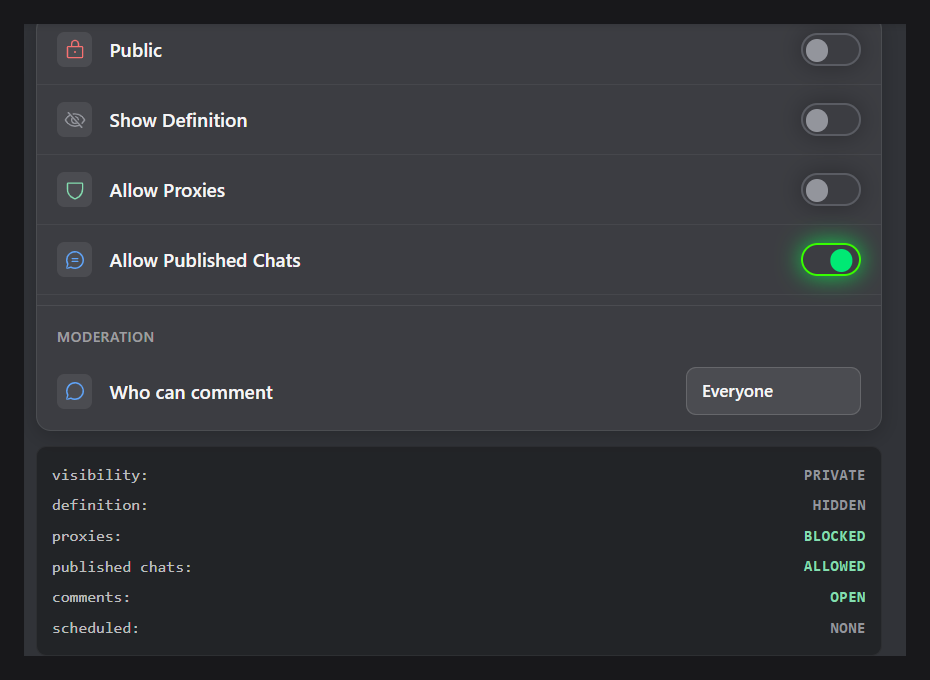
Step 4. Find the settings panel on the right of the character page. The first row is Public, with a toggle.
Step 5. Toggle it off for private, on for public.
Step 6. Check the status readout further down the panel. It should say visibility: PRIVATE.
That’s the whole process. There’s no save button and no confirmation dialog — the toggle is the action.
There is no “unlisted” option on Janitor AI
Search this topic and you’ll find page after page describing three visibility modes: public, unlisted, and private, where unlisted supposedly hides a character from search while keeping it reachable by direct link.
That’s wrong. Visibility on Janitor AI is a single toggle labelled Public. On or off. There is no third state, no dropdown, and no link-only mode. The status panel confirms it with a binary value: visibility: PRIVATE or public.
Janitor AI’s help center documents no unlisted mode either, across its creation guide, FAQ and creator guides.
Character.AI does offer a three-tier system that includes unlisted, and the resemblance is hard to ignore. The claim appears to have migrated across platforms and then been copied between articles until it looked like consensus.
What this means practically: you can’t quietly share a character with a few friends while keeping it out of the public directory. Public means publicly listed. If you want a character hidden, private is your only option, and there’s no middle setting to fall back on.
The four toggles, and what each one actually does
Visibility is one row in a panel of four. The others change how much of your work other people get, and they’re easy to misread.
Three of those default to off. One doesn’t.
The default that surprises people
Allow Published Chats is enabled by default. It’s the only toggle in the panel that ships on, and it stays on while the character itself is private.
That combination is worth a second look if you’re the kind of creator who publishes bots. A private character has no users, so the setting is dormant. The moment you flip Public on, it isn’t.
Nobody has to do anything for this to be active. If you want it off, you have to go turn it off, and most creators never notice it’s there.
Directly below the toggles sits a Moderation section with Who can comment, which also defaults to Everyone (comments: OPEN). Same pattern: open by default, and you have to narrow it yourself.
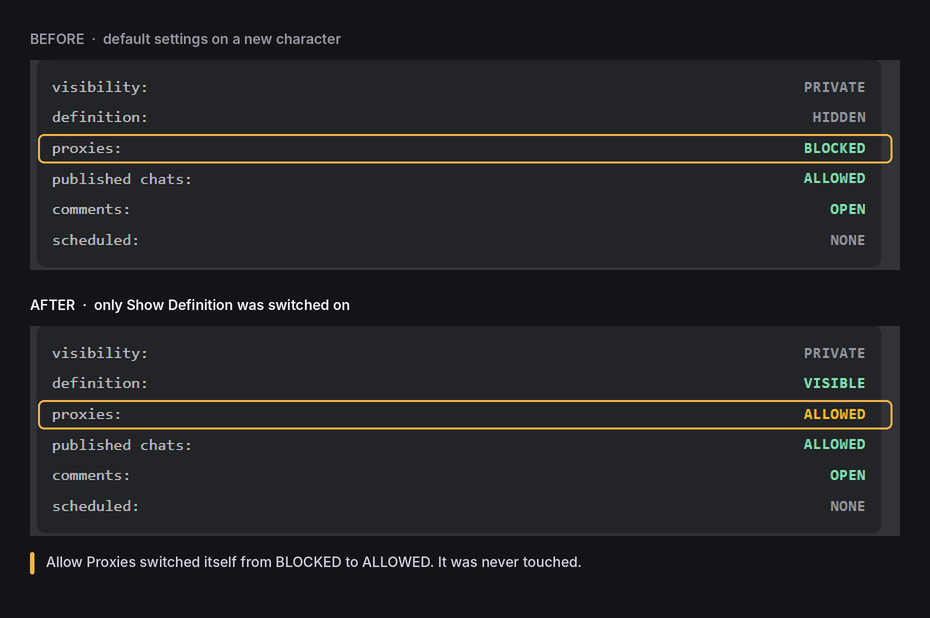
Show Definition and proxies are linked
Janitor AI’s own creation guide states that enabling Show Definition automatically allows proxies. The two settings appear as separate rows, so it’s easy to assume you can publish your character sheet without opening up external model access.
If you were counting on that separation, test it on your own character before relying on it.
The proxy toggle matters more than its one-line label suggests. It decides whether your character works only inside Janitor’s own model or with whatever model a user has connected. Our walkthrough of connecting an external API key covers what happens to the text once a proxy is in the loop.
What other users see when you pull a character back
Worth knowing before you flip the toggle, because it isn’t silent.
Janitor AI documents this behaviour. Anyone opening the character’s page afterwards gets an error saying the character can’t be found and may have been deleted or set to private, with a 404 status. Anyone who already chatted with it sees a “Deleted or Privated” label on that conversation in their list.
So privatising a bot that had users is visible to them. They won’t know which of the three happened — you hid it, you deleted it, or moderation removed it — but they’ll know it’s gone.
If people report your bot vanished and you changed nothing, that’s a separate issue. Our guide to Janitor AI errors and outages covers the display bugs that mimic a removal.
What private does not cover
Private governs what other users see. It isn’t a blanket privacy guarantee, and the distinction matters.
Janitor AI’s moderation team can remove bots, and nothing in the help center suggests private characters sit outside the content rules. Treat the guidelines as applying to your whole account.
Visibility also doesn’t change where your conversation text travels. On an external model through a proxy, that text reaches the provider you connected, public or private. On Janitor’s own model, it stays inside Janitor’s infrastructure.
For the fuller picture on data handling and account risk, see our breakdown of how safe Janitor AI is for everyday use.
Private vs delete
Both produce the identical message for other users, so deleting buys you no extra discretion. If you’re pulling a character back because it drew attention you didn’t want, private does the same job and keeps the work.
Delete only when you genuinely want it off your account. Export the character definition first — there’s no recovery afterwards.
A few things worth knowing before you publish
Image changes on a public character take time to clear. Janitor AI warns that updating the image on a published character can take up to 30 seconds to verify, and if the new image fails automated moderation the character won’t update at all. Don’t navigate away mid-update.
Tags are not a visibility setting. Limited and Limitless control content classification, not who can find your character. A Limited bot is just as public as a Limitless one.
The mobile app filters differently. Janitor AI’s mobile app moderation policy notes that NSFW content is disabled by default in the app to meet app store requirements. That’s a content filter, not a visibility control, but it means a character visible to you on the web may not surface the same way in the app. Make visibility changes on the website.
Pre-publish checklist
Before you flip Public on, walk the panel top to bottom:
- Public — are you ready for the character to be listed and searchable?
- Show Definition — comfortable with strangers reading your personality box and example dialogs? Remember it opens proxies too.
- Allow Proxies — do you want external models in play, or JLLM only?
- Allow Published Chats — this one is already on. Decide actively rather than inheriting it.
- Who can comment — set to Everyone by default. Narrow it if you don’t want open comments.
- Bio — any handles, server links or personal details you’d rather not attach?
Settling these before publishing is easier than reversing them, because “Deleted or Privated” is the one thing you can’t take back.
FAQ
JANITOR AI CHARACTER PRIVACY FAQ
Are Janitor AI characters private by default? ▼
How do I make a Janitor AI character private? ▼
visibility: PRIVATE. No save step is needed.