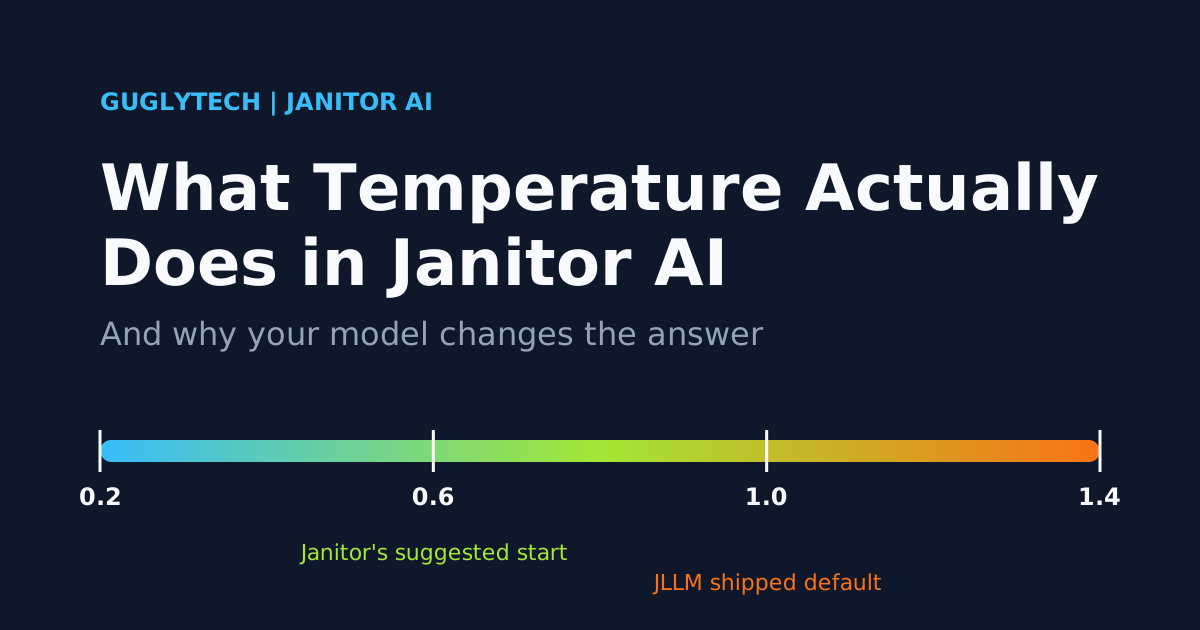
Move the temperature slider from 0.6 to 1.4 and one of three things happens: your bot’s replies get more varied, nothing changes at all, or every message starts failing. Which one you get depends less on the slider than on the model at the other end of it.
Here is the direct answer. Temperature controls how willing a model is to pick less likely words. Low values keep replies predictable, high values make them more varied and more error-prone. On Janitor’s own JLLM that is how it behaves. On some proxy models, the value is ignored or rejected outright.
What the slider actually changes
Every time a model writes a word, it ranks possible next words by likelihood. Temperature reshapes those odds. At a low setting, the top candidate wins almost every time. At a high setting, long-shot candidates get a real chance.
Picture a bot narrating a tavern scene. At a low value it will have the barmaid slide a drink across the counter. At a high value, she might pour it into a boot. That example is only an illustration, but it shows the trade: Janitor’s help centre frames temperature as a dial between “safe” and “adventurous” responses.
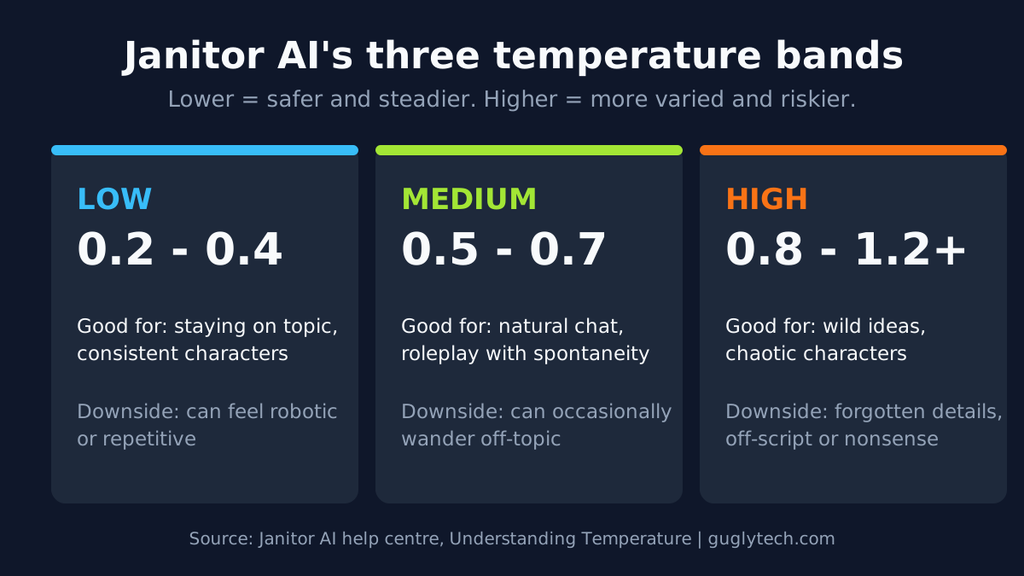
Janitor’s guide splits the scale into three bands:
- 0.2 to 0.4: steady and on-topic, good for keeping characters consistent, but it can feel robotic or repetitive.
- 0.5 to 0.7: natural conversation with some spontaneity, and it occasionally wanders.
- 0.8 to 1.2 and above: surprising and chaotic, with a higher risk of forgotten details, going off-script or nonsense.
One caution if you read the official guide: its word-probability examples are explicitly made up for demonstration. They explain the idea. They are not measurements of any real model.
Temperature also isn’t a quality dial. It doesn’t make a model smarter or more accurate. It changes how much randomness goes into word choice, nothing else.
Where Top P and penalties fit
Top P narrows the pool of candidate words by cumulative probability, and repetition or frequency penalties discourage reusing words. All of them adjust the same choice from different angles, which is why changing several at once makes it hard to tell what helped. Whether these controls appear for JLLM has shifted across 2026 interface updates, as covered in our JLLM settings guide. Change one control at a time.
Which number to use, and why guides disagree
Start with what the platform itself says. Janitor’s guide suggests starting at 0.6, adding 0.1 if replies feel bland, easing back if they turn to nonsense, and staying below 1.0 unless you want chaos. It also says models respond differently to the same number, so what is mild on one can be wild on another.
Now the awkward part. JLLM ships with temperature at 1, which is above the ceiling Janitor’s own guide recommends. If your bot feels random or forgetful on the free model and you’ve never touched the slider, that default is the first suspect. The specifics for JLLM, including the symptom table, live in our best JLLM settings guide, so this page won’t repeat them.
Older advice adds to the confusion. A widely shared 2024 beginner thread on r/JanitorAI_Official suggested a range of roughly 0.8 to 1.35, and noted most people kept the then-default of about 1.1. That is a user report, and it is two years old. It contradicts the current help-centre guide. Vendor guides add more noise: MegaNova recommends 0.7 to 0.9 for its own Manta Flash model, which is a model-specific figure, not a general one.
The pattern is that every number is tied to a model and a date. Our position: take the number from the documentation for the model you are actually using, move in steps of 0.1, change only one thing per test, and don’t copy a preset’s temperature from one model to another.
One slider, different outcomes depending on the model
On JLLM the slider does what the guide describes. On proxies, the value travels to whichever provider you connected, and providers are not consistent about what they do with it.
AI Model Temperature Behavior & Recommended Settings
| Model you’re using | What happens to your temperature | What to do |
|---|---|---|
| JLLM (Janitor’s own) | Applies as described above | Follow Janitor’s guide, with the caveats above |
| DeepSeek, thinking mode on | Accepted, but has no effect, and no error is shown | Don’t tune it; shape style with your prompt |
| DeepSeek, thinking mode off | DeepSeek documents the restriction for thinking mode only | Treat it as adjustable, starting from DeepSeek’s guidance |
| Gemini (current models) | Google lists temperature, top_p and top_k as deprecated | Leave it at the default |
| Claude Opus 4.7 and 4.8 | A non-default value returns an error | Don’t send one |
| Other models | Varies by provider | Check that provider’s documentation |
The sources behind each row:
- DeepSeek: DeepSeek’s documentation says thinking mode does not support temperature, top_p, presence penalty or frequency penalty, and that setting them triggers no error but has no effect. The same page says thinking is on by default. One limit: that page describes DeepSeek’s own API. If you reach DeepSeek models through a third-party host such as OpenRouter, I found no documentation on how that host handles these values, so check before assuming.
- Gemini: Google’s API changelog lists a deprecation of the sampling parameters temperature, top_p and top_k, dated July 21, 2026. What a deprecated value does inside Janitor isn’t documented in what I found. Our Gemini proxy guide takes the same practical line: leave the slider at its default and steer style through the character’s prompt or example dialogue.
- Claude: Anthropic’s migration guide says setting temperature, top_p or top_k to a non-default value on Claude Opus 4.7 returns a 400 error, and recommends omitting them. The rule is unchanged on Opus 4.8. Newer Claude families weren’t covered in the sources I retrieved, so check Anthropic’s current documentation for the model you connect.
Reading the symptoms follows from this. If you change temperature and the output feels identical, the model may be ignoring the value. If messages start failing right after you set a value, the model may be rejecting it. The same slider can produce both results on different models, which is why a number copied from a preset so often misleads.
What Temperature Won’t Fix
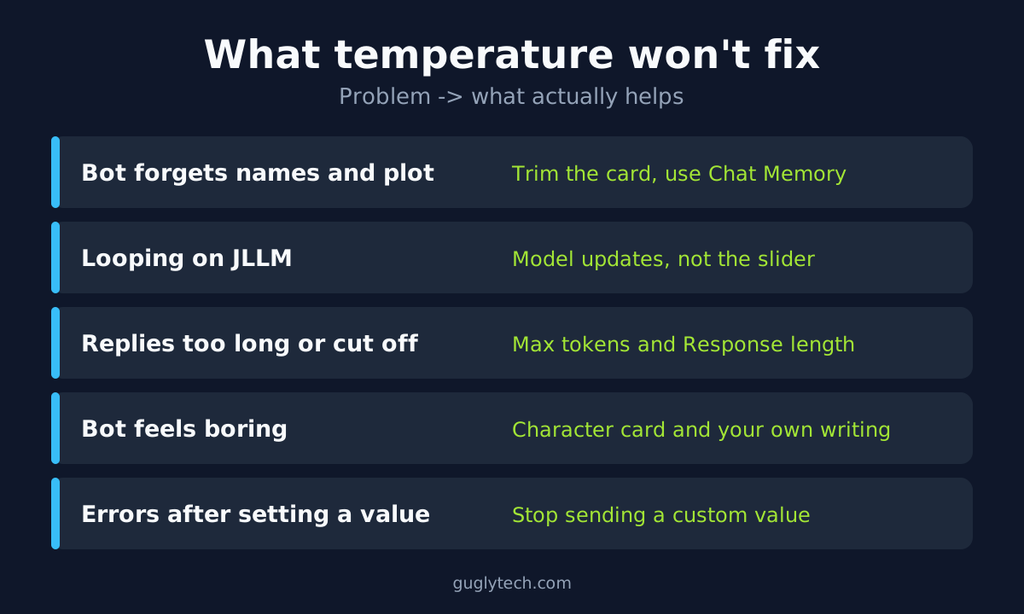
A lot of complaints get blamed on the slider that it can’t touch.
Forgetting. If the bot loses names or plot points, the cause is almost always context, not randomness. Free JLLM has a context window of around 9,000 tokens, which the permanent parts of your bot share with the conversation. See Janitor’s tokens guide and the budget section of our JLLM guide.
Repetition on JLLM. Very low temperature can make replies repetitive, which Janitor’s guide acknowledges. Beyond that, looping on JLLM has been treated at the model level: a Janitor changelog entry reports detected loops falling from 6 to 2 out of 64 generations after a repetition update, in Janitor’s own tests. A slider wasn’t the fix.
Reply length. Temperature doesn’t set how long a reply runs. Max tokens and the Response length control do, as covered in the JLLM guide.
A boring bot. Raising temperature on a vague setup makes it random, not interesting. If a bot is flat at a sensible value, look at the character card and your own writing first.
Platform rules. Temperature changes word-choice odds, nothing more. It isn’t a content-moderation control, and no setting changes the built-in protections a provider applies.
When the slider itself breaks your chat
If messages began failing right after you set a custom temperature on a newer model, treat the value as the suspect, not the platform. Based on the documentation above, the relevant providers either ignore, deprecate or reject non-default values, and user reports describe the failure showing up in Janitor as a generic error instead of a clear message.
Don’t hunt for a “better” number. The documented fix on Claude Opus 4.7 and later is to stop sending the value at all. In Janitor, that means resetting the proxy configuration’s temperature to its default, saving, refreshing the full page, and then testing. That sequence follows the Save, refresh, Test order Janitor’s help centre recommends. If it still fails, the cause may be elsewhere, and our Janitor AI not working guide covers the other error families. For proxy setup itself, see the free proxy and API key guide and the DeepSeek setup guide.
FAQ
Janitor AI & JLLM Temperature FAQs
Last verified: November 14, 2026. Provider rules in this area change often, so re-check the sources below before relying on a specific model’s behavior.Sources
- Janitor AI help centre, Understanding Temperature: https://help.janitorai.com/en/article/understanding-temperature-1cz89bq/
- Janitor AI help centre, Tokens: https://help.janitorai.com/en/article/tokens-your-ais-memory-budget-brmwx3/
- Janitor AI changelog: https://janitorai.com/news/changelog/
- Anthropic migration guide: https://platform.claude.com/docs/en/about-claude/models/migration-guide
- DeepSeek API docs, Thinking Mode: https://api-docs.deepseek.com/guides/thinking_mode/
- Google Gemini API changelog: https://ai.google.dev/gemini-api/docs/changelog