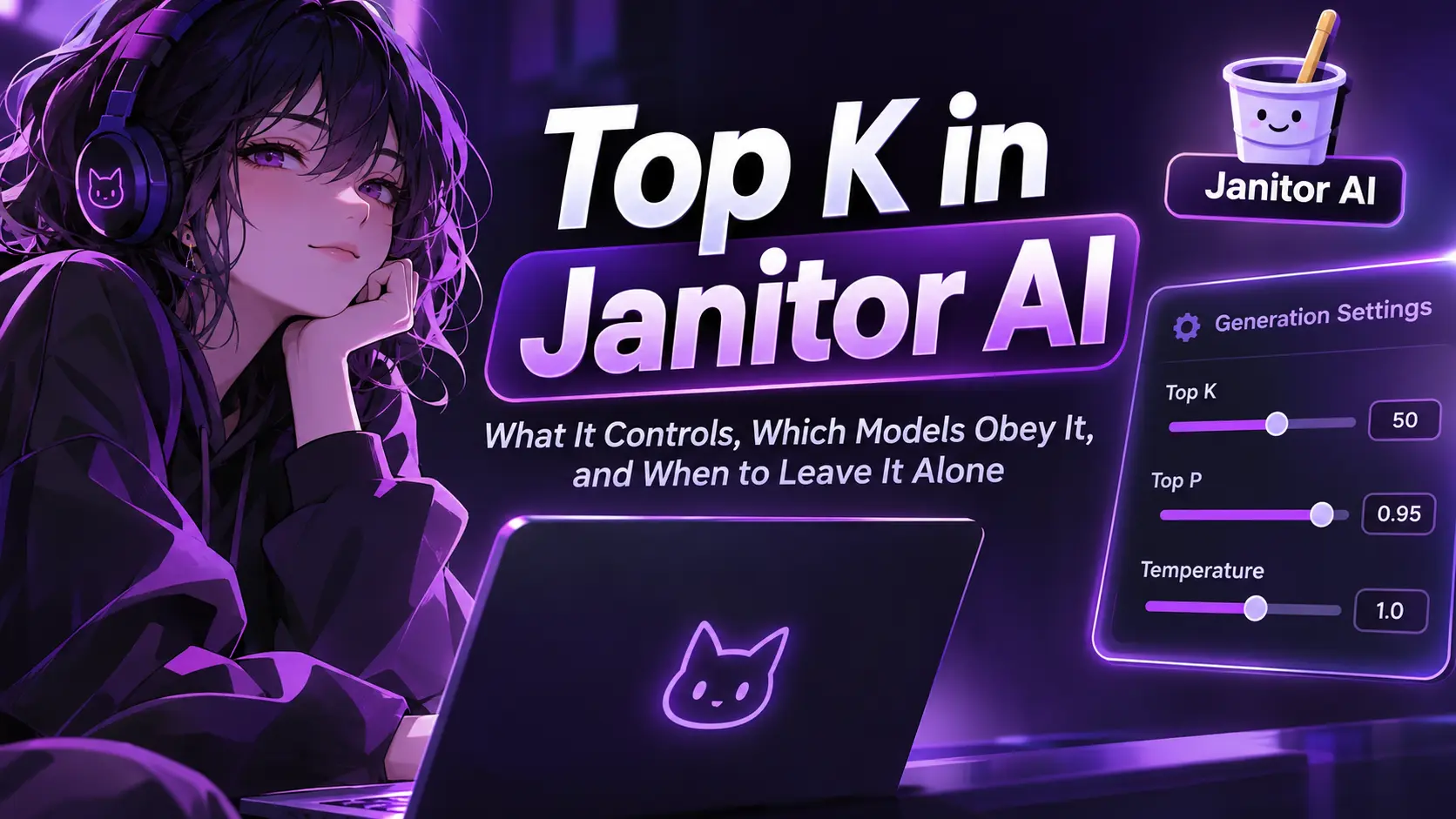
Top K is a cap on word choice. Each time a model picks its next word, it chooses only from the K most likely candidates. That is the short answer to what is Top K in Janitor AI, and it’s also why the setting causes so much confusion. Search for a recommended value and you’ll find 0, 40, 50 and 80 offered for the same slider, usually with no explanation. Several of the models people connect to Janitor also ignore the value or reject it outright.
This guide covers what Top K controls, where it appears, which models respect it, and when it’s worth touching. We checked provider documentation on November 15, 2026. Anything we couldn’t confirm is labeled as unconfirmed.
Top K in one paragraph
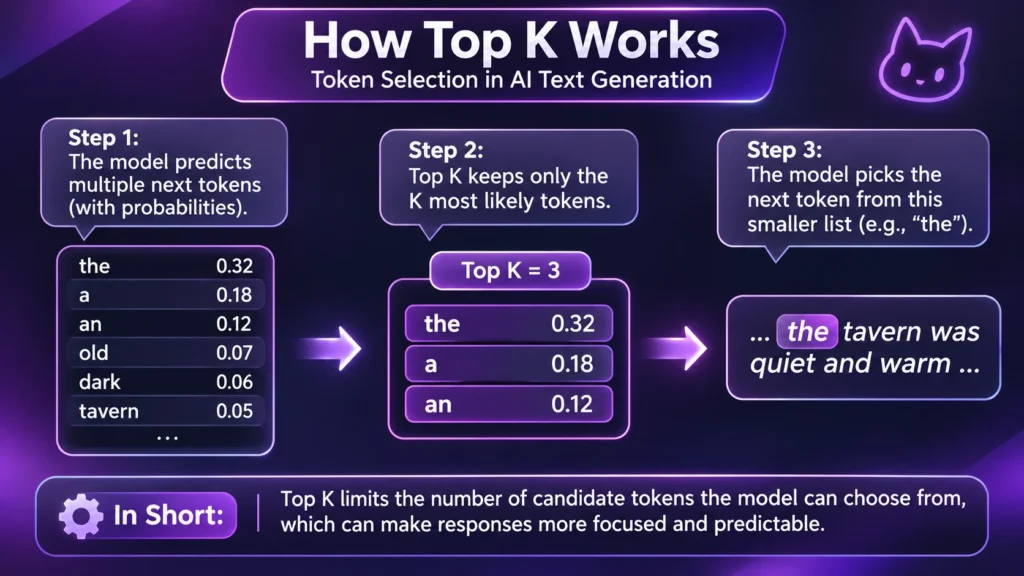
A model writes a reply one token at a time, where a token is a word or a fragment of one. At every step it ranks the possible next tokens by probability. Top K tells the sampler to discard everything below rank K. At 10, only the ten most likely tokens stay in play. At 1, the model always takes the single most likely token, and NovelAI’s sampler documentation notes that this returns the same token on every retry. The same page adds a limit: if the pool is already smaller than your K, the sampler does nothing.
Finding Top K in Janitor’s panel
Janitor redesigned its settings panel in July 2026, and reports about where Top K lives have conflicted. An independent check by Arcanum RPGs on October 3, 2026 found the advanced sliders only when the provider is an outside model, such as Proxy or Claude, with Top K as a 0 to 100 slider in steps of 1, sitting at 0. With the provider set to Janitor’s own JLLM, that check found only temperature, max tokens and response length.
RoboRhythms describes it differently: it says the sliders were hidden from JLLM by a bug and are still reachable under the Proxy tab, and it notes that users disagree on whether proxy values affect JLLM at all. Our own JLLM settings guide also says the advanced controls have shifted between builds. We found no Janitor help-centre article on Top K, so everything below comes from model and provider documentation, not from Janitor itself. Treat any description of this panel as a dated snapshot, including ours in the next section.
What We Found During Our Hands-On Janitor AI Test
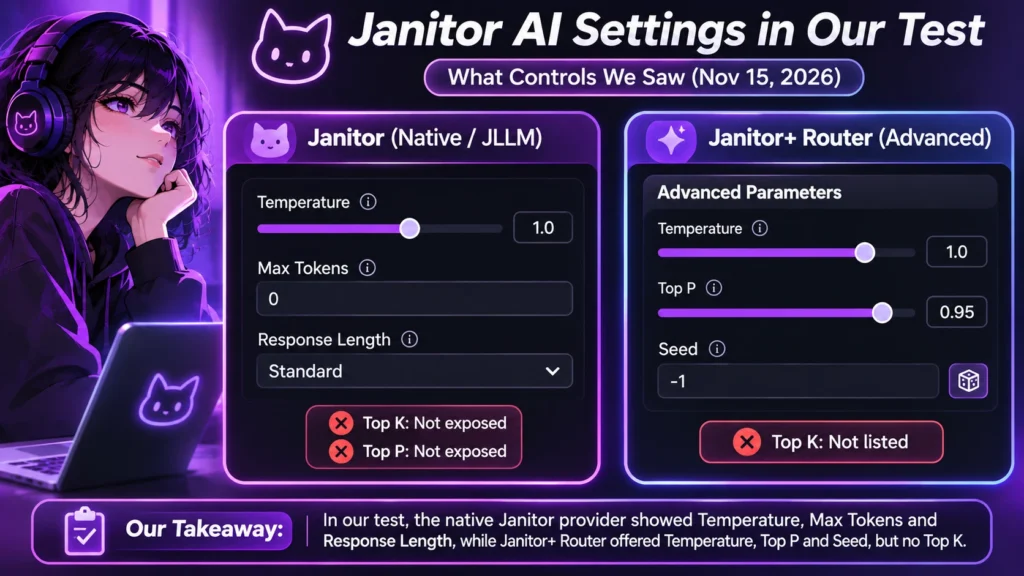
We inspected Janitor AI’s native provider and Janitor+ Router settings on 15-11-2026, using the Medieval Fantasy World RP character.
Janitor AI Provider Controls & Top K Availability
| Provider | Controls we saw | Top K? |
|---|---|---|
| Janitor (native, JLLM) | Temperature (1.0), Max tokens (0), Response length (Standard) | Not exposed, and no Top P either |
| Janitor+ Router (advanced parameters) | Temperature, Top P, Seed | Not listed |
During our session, the native Janitor provider displayed Temperature (1.0) and Max Tokens (0), but no direct Top K or Top P controls. The Janitor+ Router’s advanced parameters offered Temperature, Top P and Seed, but Top K was not listed. The model selection interface also displayed a live-demo notice, so what the Router offers may change.
For a practical response check, we used a rainy medieval tavern roleplay scenario. The generated reply described the tavern’s wooden furniture, candlelight, rainfall and fireplace atmosphere. The conversation then introduced an innkeeper serving bread and herb-infused butter.
That gave us an example of descriptive scene generation, but it was not a controlled Top K comparison. We could not change Top K through the available settings, so we cannot attribute the response’s creativity or variety to that parameter. It was one exchange at temperature 1.0, so it says nothing about what Top K does.
We did not open the Proxy provider, so we can’t confirm from our own session that Top K appears there. For that, we’re relying on Arcanum’s report.
Our takeaway: Janitor AI’s visible controls depend on the selected provider and interface. Users should verify whether their specific model and provider expose Top K before following recommended values from community guides.
What 0, 1, 40 and 80 do
Top K Sampler Values & Effects Guide
| Value | What the sampler does | Where the number comes from |
|---|---|---|
| 0 | Limit off. OpenRouter documents 0 as the default, which leaves every candidate available. | The default. One community creator’s 2026 settings guide says to leave it off or use 40. |
| 1 | Always takes the top token, so rerolls stop producing variety. | Not recommended by any source we found. |
| 40 | Keeps the 40 most likely candidates. | The same creator guide, as an optional value. |
| 50 | Keeps the 50 most likely candidates. | MegaNova’s DeepSeek V3-0324 preset |
| 80 | Keeps the 80 most likely candidates. | One community creator’s settings post. |
Two cautions apply to this table. First, Janitor doesn’t document what 0 means inside its own panel. OpenRouter’s definition applies to OpenRouter requests, and Arcanum’s reading of 0 as “off” is explicitly its own inference. Likely, but not confirmed. Second, none of these numbers comes from a controlled test. They are one person’s preferences for one model on one day.
Why “Top K 80 stops nonsense” has it backwards
One community guide claims a Top K of 80 reduces nonsensical generations. The mechanism points the other way. Raising K admits more candidates, and lowering K removes them. A higher value can’t be what filters out bad word choices. Going from 40 to 80 often changes little, because at many steps the realistically likely tokens number far fewer than 40. Where it does matter, it adds options. This is reasoning from how the sampler works, not a measured result. It’s a reason to distrust the claim, not proof that 80 does harm.
Top K, Top P and temperature
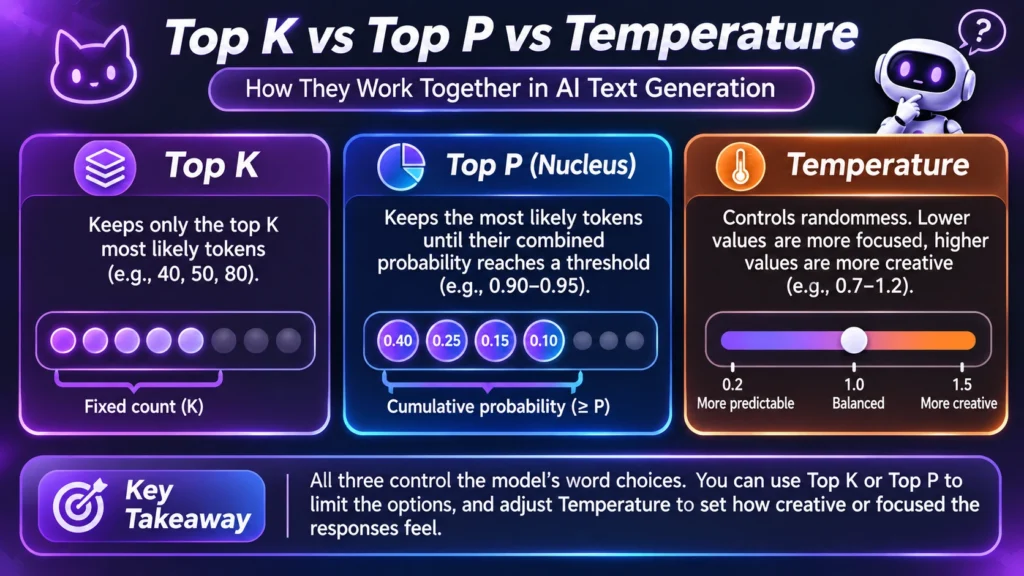
Top P is the sibling setting. Top K keeps a fixed number of candidates. Top P keeps however many are needed for their combined probability to reach a threshold, so the count changes with the model’s confidence. Mistral’s documentation notes that temperature is applied first and Top K narrows the result afterward.
Because Top K and Top P both limit the same pool, the tighter one does the work. A very low K can leave Top P little to trim, and a loose K lets Top P decide. That overlap is why changing several at once makes it hard to see what helped. Change one value at a time. Our temperature guide covers the setting that usually matters more, and it shows how the same slider behaves differently across models.
Which models listen to Top K
This is where copied numbers fail. Whether the value reaches the model, or even survives the request, depends on the provider. Last verified: November 15, 2026.
Top K Behavior Across AI Models & Providers
| Model or provider | What happens to Top K | Source |
|---|---|---|
| OpenAI models via OpenRouter | OpenRouter lists top_k as not available for OpenAI models. | OpenRouter API reference |
| Claude Opus 4.7 and 4.8 | A non-default value returns a 400 error. | Anthropic migration guide |
| Other Claude models | Not covered by the sources we reviewed. Check Anthropic’s current documentation. | None found |
| Gemini 3.6 Flash and later | Deprecated and ignored for now. Google says future model generations will return an error. | Google’s latest-model guide |
| DeepSeek (its own API) | No official record found for Top K. Thinking mode, which is on by default, ignores temperature, top_p and the penalties without raising an error. | DeepSeek thinking mode |
| Other models via OpenRouter | Varies by provider. OpenRouter says to check each model’s provider page for supported parameters. | OpenRouter parameters |
The DeepSeek row deserves a second look. DeepSeek’s documentation names several parameters it ignores in thinking mode, and Top K isn’t among them. That is not evidence that Top K works. It means DeepSeek’s docs say nothing either way. If you reach DeepSeek through a third-party host, behavior can differ again. For setup specifics, see our DeepSeek on Janitor AI guide and our Gemini proxy guide.
When a message fails after you change it
If chats start failing right after you set a Top K, suspect the value before the platform. Models that reject non-default sampler values answer with a 400 error. RoboRhythms reports that Janitor can relay such a rejection to users as a generic 500 for temperature, and the same pattern is plausible for Top K. We found no write-up confirming it for Top K specifically.
The sequence to try:
- Reset the generation settings to their defaults.
- Save, because changes in the redesigned panel reportedly don’t apply until you do.
- Refresh the whole page.
- Send a short test message.
If it still fails, the cause is likely elsewhere. Our Janitor AI not working guide covers the other error families.
A ten-minute comparison you can run yourself
We couldn’t run this test ourselves, because the providers we inspected didn’t expose Top K. If you use a proxy model that does, you can isolate the variable:
- Use one bot, one model and one saved opening message.
- Leave temperature, Top P and the penalties untouched.
- Set Top K to your first value, send the same message, and reroll five times. Save the replies.
- Change only Top K, repeat, and compare the sets for variety, repetition and drifting out of character.
If every set looks identical, the model may be ignoring the setting. Check the support table above first.
The case for leaving it alone
Our position is simple. Leave Top K at its default unless one specific problem points to it. The setting overlaps with temperature and Top P, three of the large model providers have removed, deprecated or restricted it, and the community numbers contradict each other with no testing behind them. If a bot feels flat or random, temperature and the character’s prompt are the better first moves.
If you do experiment, change one value, run the test above, and write down the model name alongside the number. A Top K tuned for one model says little about another.